
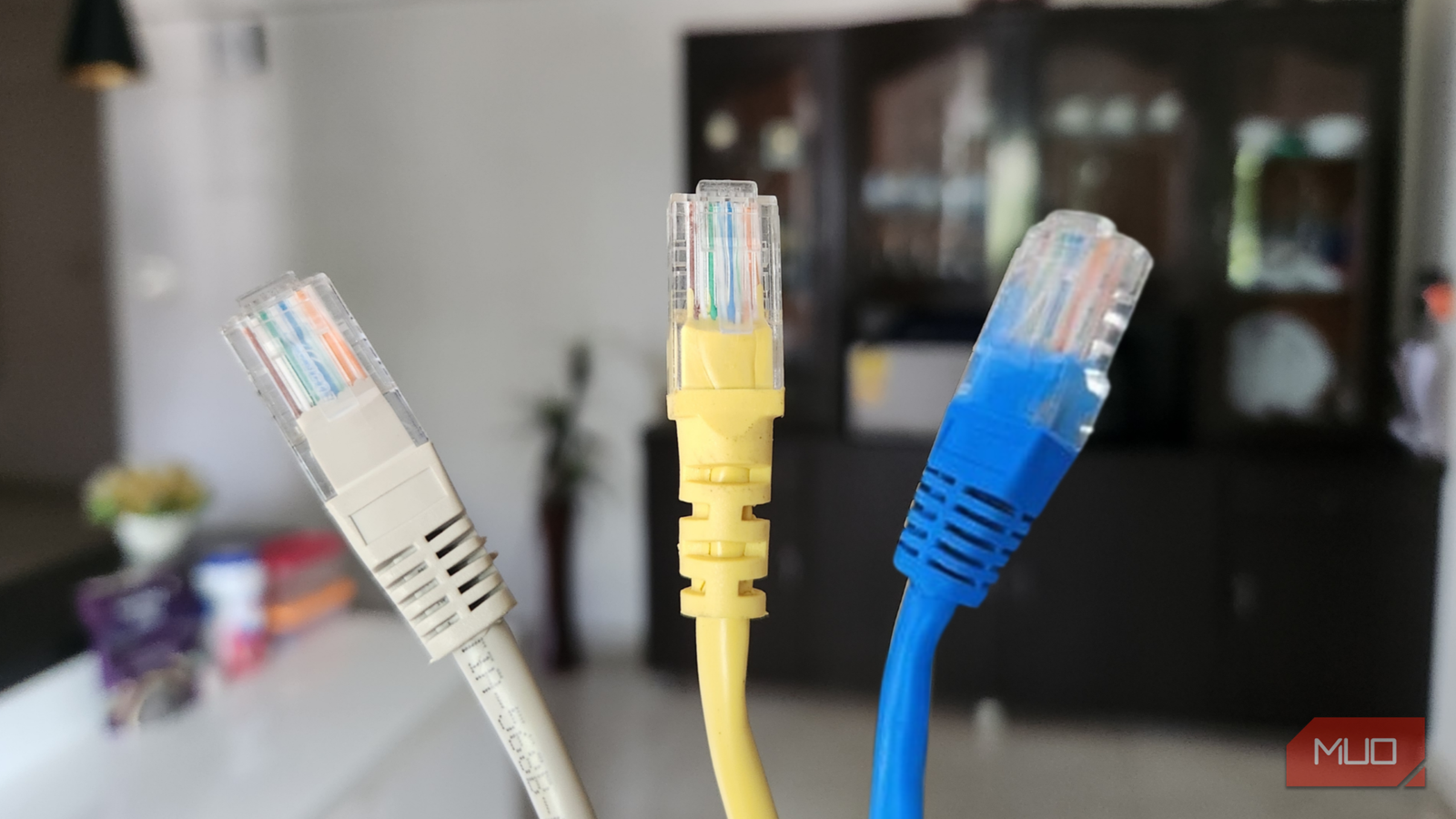
Over the past few months, I’ve been trying to educate myself a bit further in the world of networking. It’s a complex, convoluted, but incredibly interesting part of the tech world that I never paid enough attention to before, and something that has become increasingly interesting to me in my daily life. My quest to learn more about Ethernet cords, specifically, started when I upgraded my internet speeds to 1000 Mbps. Those little numbers on the shielded jackets were confusing, and I needed answers.
I wanted to get my hands on some new cables to complement my new speeds, and I invested far too much money. There are a lot of fancy names thrown around, and I decided I needed to get to the bottom of it. I discovered that I’ve been spending more money for the same performance I could get with other cables.
It’s all in the name
What’s the difference in speed between 5e, 6, and 6A?

On my journey of learning more about these cables, I first needed to decipher what all the different names meant. If you take a look at any Ethernet cord lying around your home, you’ll notice that it will have one of three main types: Cat5e, Cat6, or Cat6A. First thing to note, Cat means “Category”, which is just a simple way of defining how much data the cable handles and at what frequency it runs at. Diving deeper into the numbers themselves, these categories determine how much data can be moved and at what distance overall:
|
Cable Type |
Max Speed @ 55m |
Max Speed @ 100m+ |
Max MHz |
|---|---|---|---|
|
Cat5e |
1 Gbps |
1 Gbps |
100 MHz |
|
Cat6 |
10 Gbps |
1 Gbps |
250 MHz |
|
Cat6A |
10 Gbps |
10 Gbps |
500 MHz |
So, at this point, it’s similar to how different charging cords can deliver different wattage, or at least that’s how I’m going to remember it from now on. While Cat6A sounds like the best bang for the buck, it’s going to be overkill for most applications around my home, whereas Cat5e and Cat6 can handle my speeds without much hassle. Great for future proofing if we ever get 10Gbps speeds in my area, but overkill for the majority of things I could ever need.
Internal construction varies
Flexible and slower or rigid and faster are the main takeaways
So, outside of speed, are there any main differences between these cables? Absolutely, and the other biggest difference outside of speed is the way that these cables are constructed. In my research, I learned that Cat5e cables are often unshielded and tend to be thinner and more flexible, though shielded versions also exist. They’re thin and floppy, and are the cheapest because of it. If you’re running cables over a short distance, these should suffice.
But seeing as I wanted to upgrade my cables and keep them future-proof, I wanted to see what made Cat6 and Cat6A cables different. Cat6 cables typically include an internal spline through the middle to keep wires away from one another. It also includes thicker copper for faster and more reliable data transmission. Cat6A is built to tighter specifications and is often shielded to better reduce interference and alien crosstalk. They’re also incredibly rigid, slightly bulkier, and harder to manage if you’re trying to bend them into a proper bit of cable management. Plus, the RJ45 connectors will need a larger connector if you’re planning on making your own, so keep that in mind if you plan on cutting your own wire. You’ll need special plugs just for 6A, and these typically need some sort of “ground” to work properly. The more you know!

5 places you should never use a flat Ethernet cable (and where they actually work)
Before you run that flat cable, make sure it actually belongs there.
So, what’s best for everyone?
Saving a couple of bucks along the way isn’t the worst idea
Say you’re like me, and you’ve got at least 4 different things that you prefer to have plugged in versus running everything on Wi-Fi. What is going to be the best bang for your buck, keeping things cost-effective, while also providing the best signal overall? I had bought Cat6A cables in the past, and they were a little more expensive, but after doing my research, it seems like Cat6 is going to be the best bet for most folks.
More than double the operating frequency, better physical construction, and the potential for multi-gig download/upload in the future, I don’t need to worry about bottlenecking in the future. It’s a little more expensive than 5e, but not as expensive or overkill as Cat6A, meaning that I could upgrade and update all of my cables to this and be ready for faster speeds in the future at a fraction of the overall cost. Plus, Cat6 is fantastic for power-over-Ethernet applications like security cameras, whereas 5e may fail due to heat dissipation. Keep that in mind if you’re planning on making some new smart home additions in the future.
Cat5e is still the cable management king
While I don’t mind wires running around, it’s way more flexible

If you or anyone you know has ever posted a picture of their setup online, you know that the internet is quick to call you out on your cable management. If you’re rolling with under 1Gbps internet, there’s really no particular reason to upgrade to Cat6 at this point in time, outside of the more rigid structure. But even some folks on a faster connection may still choose 5e over any other because of how much more flexible it is.
If I were running tons of cable, I would likely choose 5e over any other variant for this particular reason. Even if the speeds could potentially be bottlenecked in the future by my ISP raising my speeds, having everything looking neat and tidy would be a major reason to go the 5e route over any other version of Cat cable. For gaming, which is my primary goal, these bottlenecks aren’t a massive issue, but for file transfers over NAS or via FileZilla, this could be an issue.

- What’s Included
-
Switch, Power Cord
- Manufacturer
-
TP-Link
- Type
-
Ethernet Switch
- Materials
-
Steel
Money spent is now money saved
Holding onto cables is a good thing sometimes, especially now
In the past, when I was on Brightspeed, living at home with my folks, I had spent far too much money on Ethernet cables. I thought that having a higher number meant that it would help any connection run better. But looking into it now, this many years later, I realized that I was wasting a lot of money back in the day.
Thankfully, seeing as I tend to hoard cables and cords, it worked out for me later with a much better connection. But if you’re taking your first steps into the world of networking, just like I am, it’s surprising to see how much just one little number can change how a cord fundamentally works.
