
Figma is a great design tool for professionals; there’s no argument about that. But if you’re a freelancer or sole professional working on your own, that monthly subscription tends to add up.
After looking around for an alternative that doesn’t drain my wallet, and testing five open-source Figma replacements, I’ve finally found the one free, open-source design tool that finally canceled my Figma subscription.
Figma’s steady price creep pushed me to look elsewhere
Subscriptions that won’t stop rising

Figma is loaded with features, and I can understand asking for a subscription to use the program, especially considering the free tier is pretty good for beginners. However, the subscription prices have been going up, and when Figma raised its prices for the Professional plan by a full 33 percent (going from $15 to $20 per month per seat) and killed the monthly billing, it made the decision for me.
For solo designers and small teams, this price hike and payment plan change was more than just an inconvenience. It was the nudge that sent many, including myself, looking for alternatives. Figma contracts also often include annual escalation clauses of a few percent, meaning the cost only goes up.
What Penpot actually is
An open-source alternative built for UI design
Penpot is a fully open-source design and prototyping platform built by Kaleidos under the Mozilla Public License 2.0. You can use it in your browser, or self-host it on your own server. It handles UI design, interactive prototyping, component libraries, and developer handoff—essentially the same core workflow you’d use Figma for.
The major difference between the two is that Penpot is built on open web standards like SVG, CSS, and HTML rather than proprietary file formats. Your designs aren’t locked behind .fig files that only Figma can read.

- OS
-
Web, Windows, macOS
- Developer
-
Kaleidos Open Source
- Price model
-
Free, paid options available
Penpot is a free, open‑source, browser‑based design and prototyping tool built to help designers and developers collaborate using open web standards like CSS, SVG, and HTML.
Features that seal the deal
Just because it’s free doesn’t mean it isn’t powerful
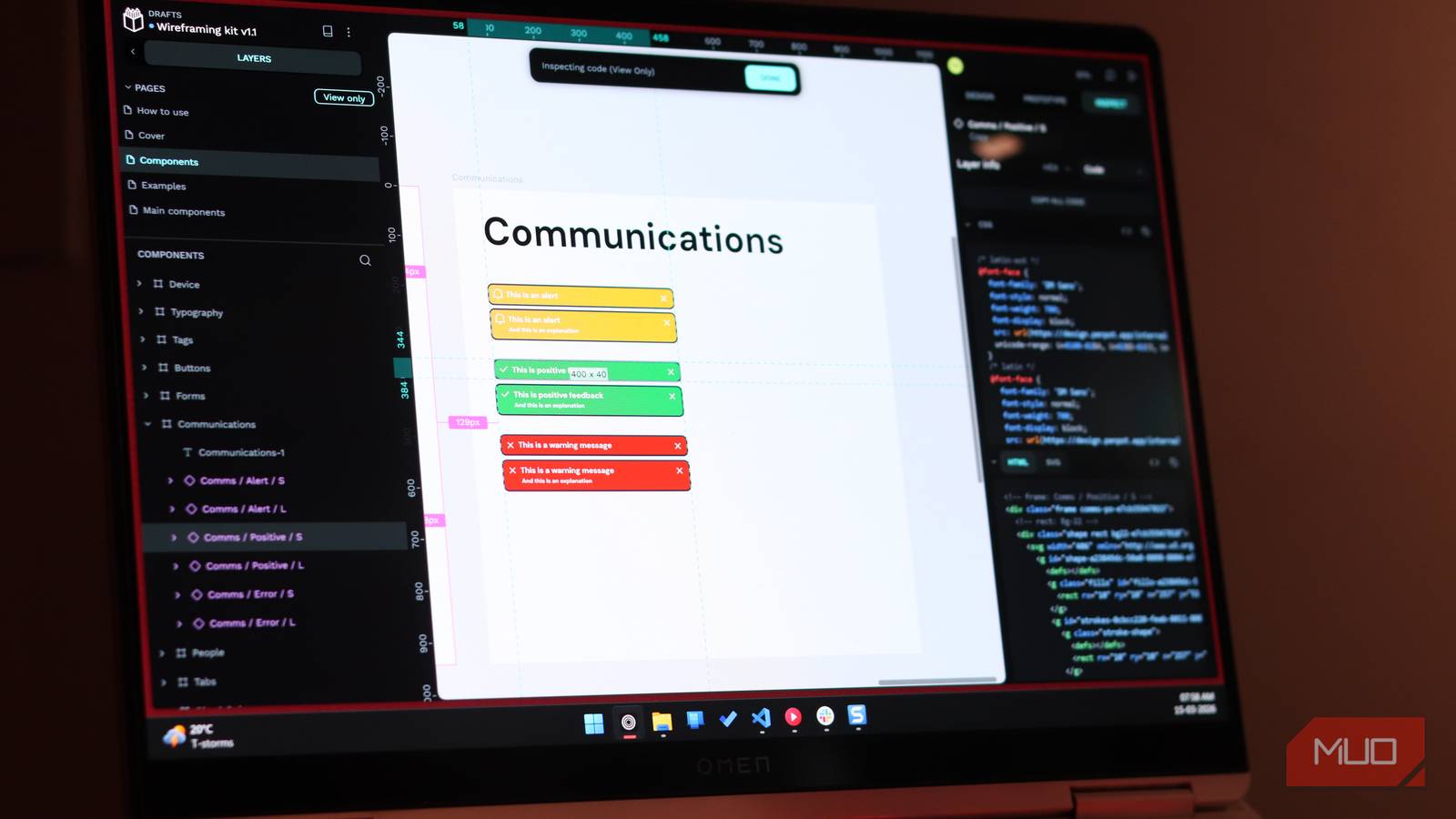
Apart from the usual array of tools and features you’d expect from a prototyping tool competing with Figma, one of the most useful Penpot features I found was CSS Grid Layout. It works exactly how it sounds as well: when you build a layout using Penpot’s visual grid builder, the tool generates actual CSS grid code that developers can pull from the Inspect panel and drop straight into their projects.
Flex-style layouts work the same way, too. If you’re someone like me and have endured years of the painful process that is translating a designer’s vision into response code, this feature saves a ton of time and effort. The design and implementation speak the same language, and hence are easier to integrate into real projects.
Then you have native design tokens, developed in collaboration with the wider design-tokens ecosystem. Penpot is one of the first design tools to natively support the W3C design token specification. Your tokens for colors, spacing, and typography are stored in a standardized JSON-like format that moves freely between design tools and developer workflows.
There’s no proprietary variable system and no hidden lock-in. The tokens can even drive theming, so setting up light and dark modes becomes a matter of toggling token sets instead of hunting down a specific value across an entire canvas full of frames.
As you’d probably expect by now, Penpot’s developer handoff is also great. With Penpot’s inspect tab, you get near production-ready code instantly. No plugins or payments required. Developers can open design files and extract what they need. Flexbox, CSS grid, spacing, typography, it all translates directly. This is one of the best tools on the market if you want to quickly convert design prototypes to fully-functional user interfaces. Figma’s Dev Mode is useful for developers, but it costs extra money. Penpot’s Inspect tab is completely free.
You don’t have to pay extra just to let your developers see the implementation details behind a design. For small team or independent developers who design their own sites, this one feature alone removes a huge amount of friction.
Self-hosting changes the entire equation
Running your own design platform matters

Self-hosting is perhaps Penpot’s biggest advantage over Figma. You can deploy it on your own infrastructure using Docker containers and keep design files and data on servers you control. For teams under strict compliance requirements or dealing with sensitive product work, this is a huge win.
You don’t need a huge, power-hungry server to get Penpot running either. Penpot’s rendering engine handles larger projects without the stutter you might experience in other web apps when working with heavy files, despite the minimum requirements being surprisingly low.
That said, Penpot does have paid tiers as well, but these are far simpler than Figma’s convoluted pricing. While the core features remain the same, the Unlimited tier gives you up to 256 GB of storage, 30 days of autosaved versions, 30 days of deleted file recovery, exclusive early access to upcoming features, and more at just $7 per editor. Additionally, the monthly bill is capped, so you never pay more than $175 per month, no matter your team size.
The Enterprise tier expands on these features with higher limits, while still capping your monthly bill at $950 per month regardless of team size. And in case I wasn’t clear already, you can still use the tool for free with all of its features for professional use.
Penpot still isn’t perfect
Features where Figma still has the edge

Penpot isn’t perfect, and I’m not going to pretend otherwise. First up, Figma’s plugin ecosystem is massive, largely because the tool itself is quite popular. You can find plugins that cover everything from content generation to design audit tools. Penpot’s ecosystem, by comparison, is still small and growing. But as Penpot becomes more popular, you can expect this collection to grow.
Figma’s collaboration features, especially live cursors, observation mode for reviews, and the deep FigJam integration for workshops and brainstorming, are also more polished than Penpot’s equivalent offerings. Sure, there are browser-based tools to help brainstorm with your team, but having the functionality baked into the prototyping tool helps massively.
I don’t see myself paying for Figma again
Penpot gives you everything you need
Canceling Figma wasn’t about disliking the product. It was about recognizing that Penpot now delivers everything I need without the subscription cost, vendor lock-in, or data privacy issues. The open standards mean any work is completely portable and should the company behind Penpot disappear tomorrow, my files would still be accessible by just about any design program in existence.

This open-source Photoshop rival is better than it has any right to be
I didn’t expect much from a free Photoshop alternative—but Krita seriously overdelivers.
That kind of independence is worth more to me than another round of shiny features locked behind a higher-priced plan. Perhaps for the first time, serious design work can live outside proprietary walled gardens. Open-source software may not always be the best choice, but Penpot can very well be the better one.
