
Linux Mint has always been a little stubborn about big changes. While much of the Linux world spent the last few years marching toward Wayland, Mint calmly stayed parked on X11 like someone watching the chaos from a safe distance with a cup of coffee. Not because the developers were ignoring the future, but because their flagship desktop simply wasn’t ready for it. That situation is finally shifting. After years of quiet groundwork, Cinnamon can now run on Wayland, which removes one of the biggest technical barriers Mint has been carrying around.
It is still early and a bit experimental, but the important part is this: the door that used to be locked is now open. For long-time Mint users, that moment has been a long time coming. Wayland has been the looming “next step” in Linux graphics for years, and Mint’s absence from that transition has often raised eyebrows. Now the distro is finally stepping onto the same path, just in its usual careful and methodical way.
Linux Mint’s Wayland problem was never simple
Cinnamon grew up in the X11 era

Linux Mint’s main desktop environment, Cinnamon, was designed in a world where X.Org ruled the Linux graphics stack without much competition. For years, that arrangement worked perfectly fine. Linux desktops rendered windows, apps behaved themselves most of the time, and nobody lost sleep over display protocols. But Cinnamon ended up deeply intertwined with X11 assumptions. Window management, global shortcuts, panel behavior, applets, and screen capture tools all expected X11 to be present and behaving the way it always had.
Switching to Wayland, therefore, was never going to be a matter of flipping a setting somewhere in the login screen. Pieces of the desktop stack had to be reworked so they could operate in an entirely different graphics model. Meanwhile, desktops like GNOME and KDE Plasma spent years slowly bending themselves toward Wayland. Cinnamon had to catch up from a position where large parts of its plumbing assumed X11 would always be there. That meant rewriting parts of the window manager, adapting display handling, and carefully separating pieces of the desktop that once leaned on X11’s behavior. It is the kind of work that rarely makes headlines but quietly takes thousands of development hours.
Cinnamon can now run on Wayland
The technical wall finally cracked

This is where things get interesting. Recent development work introduced an experimental Wayland session for Cinnamon. That might sound modest, but for Linux Mint it represents a pretty big milestone. For the first time, Cinnamon can run on Wayland at all. That one sentence carries a lot of hidden effort. Developers have been adapting parts of the desktop that historically depended on X11, including display handling, compositor behavior, and input processing. These changes allow Cinnamon to exist inside Wayland’s environment rather than leaning on the old X11 infrastructure.
Think of it less like replacing the engine in a car and more like gradually rebuilding the road underneath it while the vehicle keeps driving.
It also signals something important about Cinnamon’s future. Once a desktop environment can run on Wayland, development can move forward with modern assumptions instead of constantly working around older display limitations.
Why Wayland actually matters
The Linux graphics stack is slowly evolving
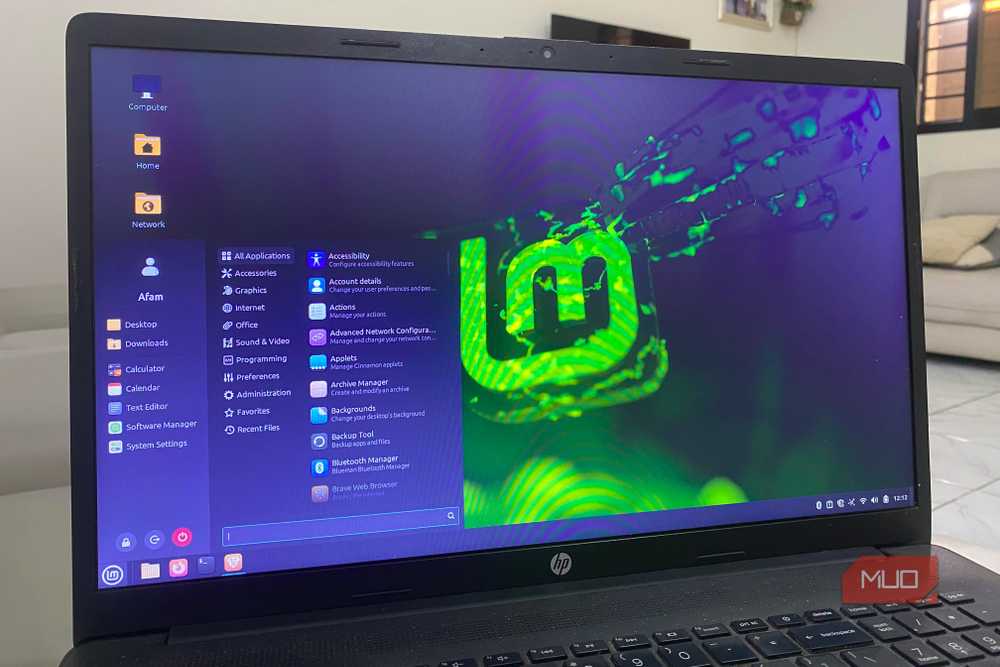
Wayland exists because X11 is, to put it politely, ancient. The system dates back to a different era of computing, when displays were simpler, security expectations were lower, and nobody was worrying about fractional scaling across three monitors.
Wayland modernizes the graphics pipeline by letting the compositor manage rendering directly. That can reduce screen tearing, improve responsiveness, and simplify how modern desktops handle complex display setups. For users, this often translates into subtle but noticeable improvements. Window movement feels smoother. Multi-monitor setups behave more predictably. High-resolution displays and fractional scaling tend to work with fewer awkward workarounds.
It also closes a few security holes that X11 never really tried to solve. Under X11, applications can observe input events from other windows. Under Wayland, that kind of snooping becomes much harder. Newer Linux technologies increasingly assume Wayland support too. Systems like PipeWire and Flatpak lean heavily on Wayland-friendly behavior when dealing with screen capture, sandboxed apps, and secure permissions. In other words, Wayland is not just a shiny new toy. It is where the Linux graphics ecosystem is slowly heading.
Why Linux Mint waited while others rushed
Stability has always been the project’s personality
If you have used Linux Mint for a while, you already know the project does not chase trends. Mint’s philosophy tends to be calm, conservative, and slightly allergic to shipping half-baked features. When other distributions started pushing Wayland sessions years ago, they also inherited a long list of strange bugs, missing features, and confused users wondering why screen recording suddenly stopped working. Mint simply chose to sit that phase out.
Instead of rushing a Wayland session that would feel incomplete, the developers waited until Cinnamon itself could realistically support the transition. It might not make headlines as quickly, but it does align with Mint’s reputation for boring stability, which is honestly one of the reasons many people use it in the first place.

This might be the most interesting new Linux distro right now
Sometimes, a Linux distro comes along, that just make sense.
There is also a practical side to that decision. Linux Mint has a very large user base that depends on predictable desktop behavior. Introducing a disruptive change too early could easily have created more frustration than progress.
Wayland is coming to Mint, but slowly
Even though Cinnamon can now run on Wayland experimentally, Linux Mint still defaults to X11. That is not an oversight. It is a deliberate decision. Wayland support needs time to mature. Edge cases involving graphics drivers, screen capture tools, input devices, and application compatibility still need careful testing. A cautious rollout gives developers room to identify problems before millions of users stumble into them. In practical terms, that means users will likely see Wayland appear as an optional session first. Over time, as bugs are resolved and compatibility improves, the Wayland experience will gradually become more polished.
The real story here is not that Linux Mint suddenly switched to Wayland overnight. The real shift is that the distribution finally has a clear path forward. For years, Cinnamon’s dependence on X11 acted like a technical anchor holding Mint back from the modern graphics stack. Now that the anchor has finally started to lift. And knowing Linux Mint, when Wayland eventually becomes the default, it will probably arrive in the most Mint-like way possible: quietly, sensibly, and without setting anyone’s desktop on fire.
