
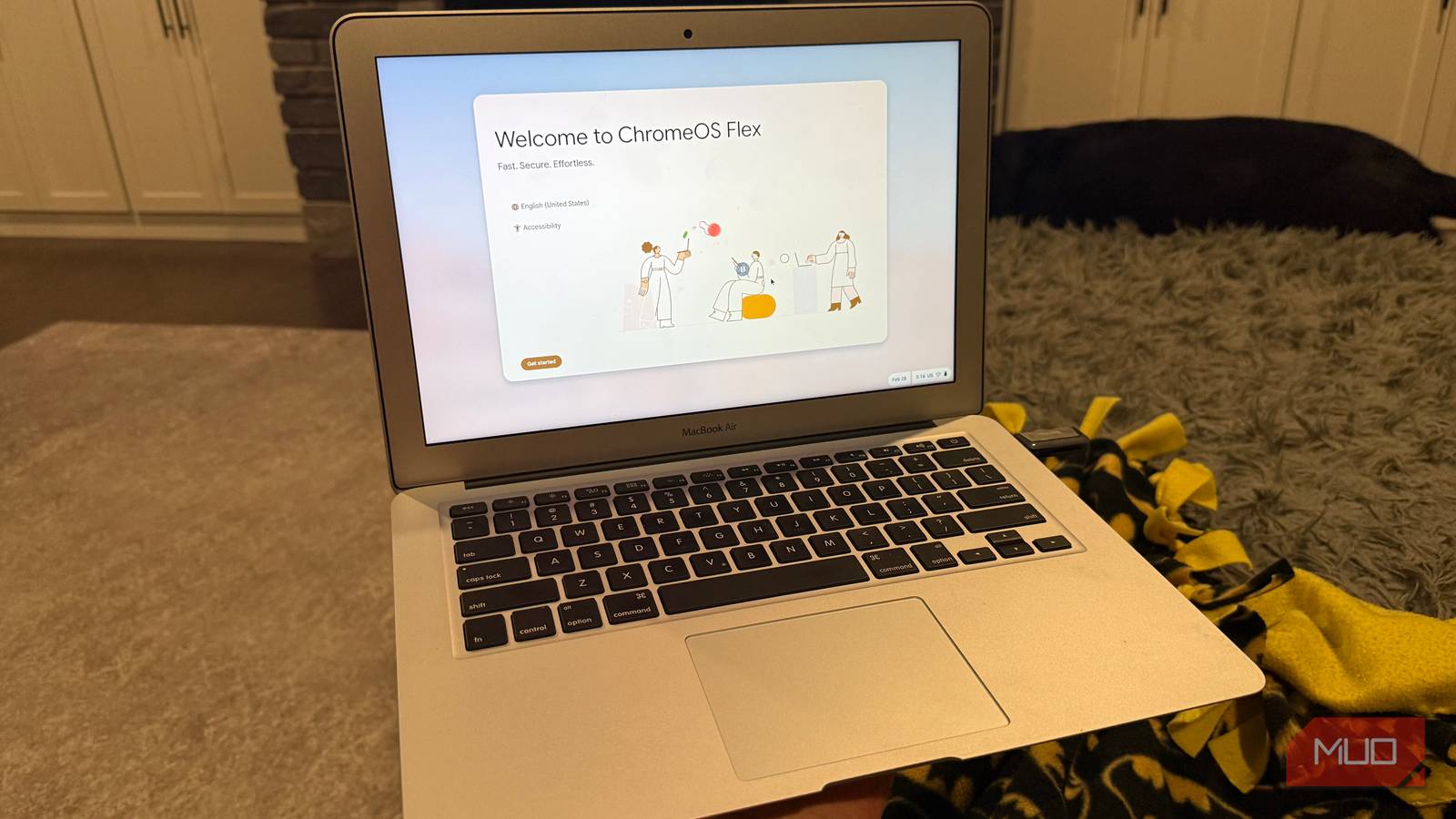
My 2017 MacBook Air had been sitting in a cabinet for the better part of three years when I finally pulled it out again. Not because I had a plan for it — just because I was reorganizing and felt guilty throwing money at a new machine when a perfectly good laptop was gathering dust ten feet away.
Chromebooks have a few downsides, and I didn’t want to replace my main MacBook with one. But ChromeOS Flex — Google’s version designed to run on almost any hardware — turned out to be a different conversation entirely. Thirty minutes and a USB drive later, I’d given a machine I’d quietly retired a completely different operating system, and it was better for it. Now, it’s my main laptop for traveling and coffee shop visits.
My MacBook Air had been sitting in a cabinet for three years
I needed a laptop 9 years ago, and the Apple Store delivered it the same day

Back in 2017, I needed a new laptop and the Apple Store app had same-day delivery, so I used it. It showed up that afternoon — something that still felt a little unreal, and that I thought about more than once while using it over the years.
Writing, browsing, the usual. When I upgraded to a 2019 MacBook Pro in 2021, the Air got pushed to the back of the rotation and eventually stopped being touched at all.
The sticking point was macOS itself — I was stuck on Big Sur 11.6 and couldn’t move forward because the next version’s download was too large for the 128GB drive. That was even after scrubbing everything I could find. Nowhere left to go. At some point, a laptop that can’t keep up with its own operating system stops feeling worth the trouble, and into the cabinet it went.
Installing ChromeOS Flex takes about 30 minutes
Getting the USB drive ready is most of the work
Getting the USB drive ready is most of the work. You install the Chromebook Recovery Utility — a Chrome extension — point it at a USB drive 8GB or larger, and it handles the imaging. Nothing manual, nothing complicated.
Hold Option at startup, select the USB, and the MacBook boots into ChromeOS Flex. Before wiping anything, you can run it as a live environment right from the drive. I’d do this first — 20 minutes of actual use will tell you quickly whether your hardware is going to cooperate. On my 2017 Air, Wi-Fi connected immediately, and the trackpad felt completely native. Not every Mac model has that experience, so it’s worth checking Google’s certified device list before you start.
The full install wipes macOS and wraps up in another 20 minutes or so. Sign in to your Google account, and you’re done. That’s when I started thinking about everything ChromeOS can actually do that most people never bother to explore.
It doesn’t feel like a compromise
The MacBook Air runs ChromeOS better than it ran macOS

This is the part that genuinely surprised me. Boot time is fast — noticeably faster than macOS was managing on this hardware toward the end. ChromeOS doesn’t accumulate the kind of drag that macOS does on aging machines, and the whole thing feels lighter because of it.
Day to day, it handles everything I’d actually use a secondary laptop for. Google Docs, Gmail, YouTube — all snappy. I expected the browser-centric setup to feel limiting, but it clicked faster than I thought it would, and I stopped noticing what wasn’t there. To be clear about what “wasn’t there” means in practice: no Final Cut, no full Adobe suite, and (unfortunately) no built-in webcam support for my MacBook Air. That’s fine — this machine was never going to be the one for that kind of work anyway.
My ChromeOS MacBook Air is the perfect travel companion
Great security, lightweight, and perfect for light tasking

I don’t travel much these days, but when I do, it’s mostly for vacation with my family. As a small-business owner and freelancer, I still need to check in on things daily — and maybe put in a few hours of work. ChromeOS paired with a MacBook Air is perfect for that. You get great security on a low-cost (in my case, a 9-year-old) machine that won’t be devastating if it breaks or gets stolen.
For those who don’t need the top specs of a newer Windows laptop or MacBook, upgrading an older machine will give it new life, with a significantly faster OS. Especially if your work/personal use is tied to Google Workspace, like mine is.
The longevity angle matters here, too. Google offers up to 10 years of updates for ChromeOS Flex on supported devices, which means this machine isn’t staring down a support deadline anytime soon. The same hardware that macOS had outgrown has years of useful life ahead of it under a different OS — and that’s a genuinely good outcome for a laptop I came this close to recycling.

Why I Use a Chromebook as My Travel Laptop—and How It Holds Up
My Chromebook is often the perfect companion for my travels—but that’s not always the case.
Before you buy a new laptop, check your cabinet
If you’ve got an old Mac or PC sitting unused because it fell behind on software updates or started feeling sluggish, ChromeOS Flex is worth an hour of your time before you spend anything on a replacement. A USB drive and a Chrome browser are all you need to test it without committing to anything.
What started as a curiosity project is now a machine I genuinely use, and I didn’t spend a dollar to get there. It’s light, the battery still holds a reasonable charge, and it’s settled naturally into the role of a travel laptop — something I never would have predicted when I pulled it out of that cabinet.
