
For the past few months, productivity hasn’t exactly been my strongest suit. I found myself constantly reaching for my phone, scrolling mindlessly, hopping between apps, and slowly burning out my attention span. It wasn’t something so serious, but it gradually slid into a distraction that became hard to ignore. The frustrating part was that I knew something had to change. I just didn’t have that inner push to actually begin.
So I tried a different approach. Instead of fighting the problem, I leaned into it. If my phone were distracting me, maybe it could also help me stay on track. That’s when I turned to Samsung’s Modes and Routines, and honestly, I was surprised I hadn’t explored it sooner. What started as a small experiment slowly turned into something that reshaped how I move through my day, without demanding constant effort from me.

Samsung really nailed it with Modes and Routines
A silent assistant that actually pulls its weight

What really changed things for me was how effortlessly I could customize my phone to fit different parts of my day. I just created a few modes based on my routines and the places I frequent. Once that’s done, everything sort of runs on autopilot. Now, whether I’m at home trying to focus or at the gym pretending I have my life together, my phone adjusts itself in the background. The whole experience just aligns with what I’m doing without me having to think about it.
The best part is how flexible it is. I’ve mapped out different modes for different locations and scenarios, and it all works seamlessly. Samsung really understood the assignment here and built something that fits into your life.
A quick guide to setting this up on your Samsung phone
Set it once and let your phone handle the rest
If you’re wondering how to actually get this up and running on your Samsung phone, the good news is it’s far less complicated than it sounds. Once you know where to look, it all falls into place quite naturally:
- Start by opening Settings.
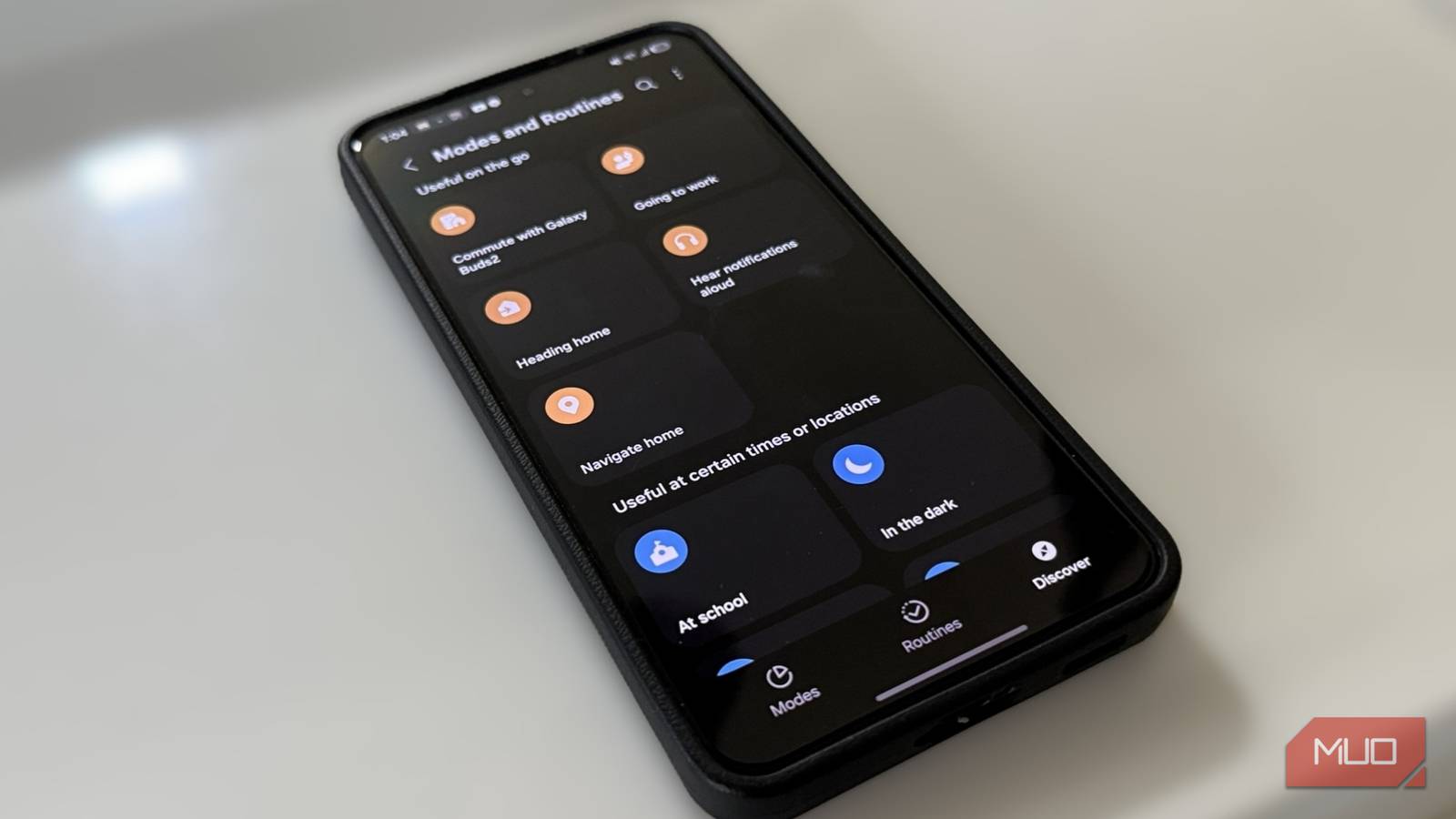
- Head to Modes and Routines.
- You’ll see a bunch of options, like Sleep, Driving, Exercise, Relax, and more, each designed for a specific part of your day.
Pick a mode that fits your routine. For example, I chose Exercise. From here, you’ll be given a choice. You can either keep it simple with a distraction-minimizing setup or go deeper and build something more personalized.
If you choose the simpler route, your phone will automatically enable Do Not Disturb during that activity, which is perfect if all you want is a quiet, interruption-free session. But if you go the custom route, that’s where things get interesting. You can decide exactly how your phone behaves. Maybe you want music to start playing the moment your workout begins, or have certain apps restricted, or even tweak things like volume levels and connected devices. It’s all up to you. In my case, I kept it straightforward. For Exercise mode, I just enabled Do Not Disturb. I was pretty clear about my choices because I wanted a distraction-free workout.

The same logic applies to other modes as well. Take Work, for instance. You can go with a basic setup that switches your phone to vibrate and turns on power saving, which is great for staying focused. Or you can customize it further depending on how you want your work hours to feel. On the contrary, I’ve also set up Driving mode, and this one feels really essential. The moment I’m on the road, my phone knows to stay out of the way. Do Not Disturb kicks in, distractions fade out, and I can focus on the road.
What I like most about this whole setup is that once you’ve configured it, you don’t really have to think about it again. Your phone adapts to your day rather than constantly asking for your attention. And that’s what makes it so effective.

I Need These Samsung Routines to Get Through the Day
Get a better routine.
So, did my phone just fix my life a little?
These automations on my phone have really changed how I go about my day. And here’s something I’ve realized (the hard way): no amount of advice, reminders, or motivation from other people can fix your routine unless you decide it matters. That change has to come from you. There’s usually a moment when it just clicks — when you’re a little too tired of your own excuses.
For me, structure was the missing piece. I’d begin with all the right intentions, then slowly fall off. It became a pattern I knew too well. So I made a simple promise to myself: take better care of my body, mental health, and show up more consistently. And surprisingly, something as basic as Modes and Routines helped me stick to it. I’ve always been someone who gets easily distracted, and it tends to spill over into everything. But these small automations have helped carve out little pockets of focus in my day. And that’s really what this feels like. It worked for me because I was ready for it. And if you feel like you’re at that point too, this might be one of the simplest ways to start showing up for yourself a little more consistently.
