
If you’ve been using Lightroom for as long as I have, Adobe’s subscription model starts looking a lot like you’re being held hostage. Gone are the good old days when Lightroom used to be a one-time purchase. Now, it’s a subscription where the price keeps bumping up every few years, often at the cost of Adobe’s more affordable subscription offerings.
So if you’re tired of spending hundreds of dollars, at the very least, to be able to edit a few photos, you’re using the wrong program. There’s a photo-editing app so good that it can easily replace Lightroom, and you give up only one thing in return.

Pro photo editing—without the price tag
Why Darktable feels closer to pro-grade editing than you’d expect

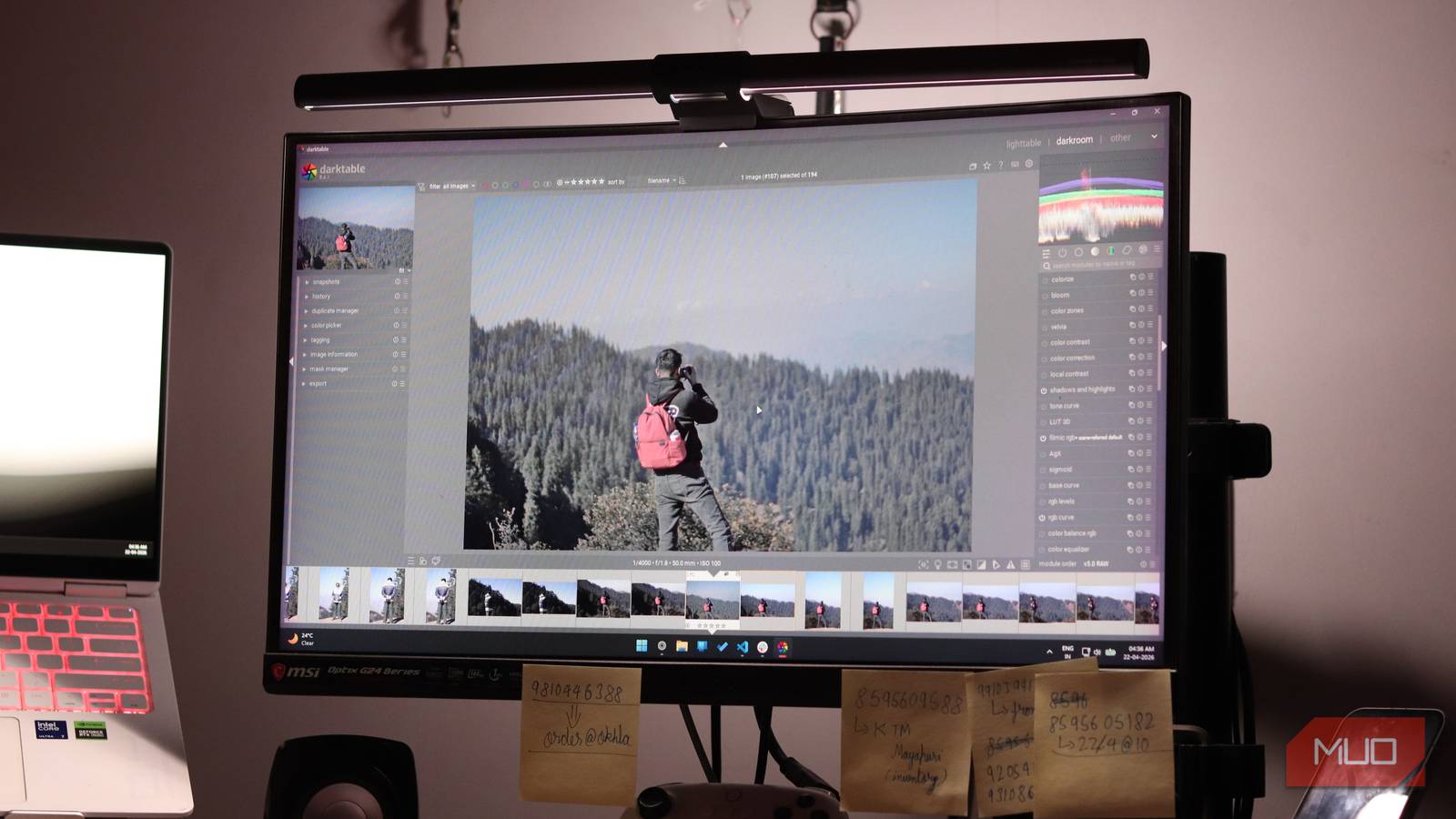
Darktable is a free, open-source photo editing and RAW processing program that runs on Windows, Linux, and macOS. It’s been quietly growing as a strong contender against Lightroom thanks to features like AgX tone mapping, capture sharpening, multi-workspace support, and most, if not all, tools you’d usually expect to see in Lightroom — or any other professional photo editing app, for that matter.
Darktable doesn’t want to be Lightroom, and its developers are rather explicit about this. They’re not chasing feature parity with Adobe. They’re building something fundamentally different—a RAW editor designed for people who want control, not convenience. It’s a tool built by photographers, for photographers, and is meant for people who’d rather obsess over an image to extract every last ounce of quality from their shots.
Lightroom costs $10/month or $120/year. Darktable has no subscriptions, no cloud lock-in, and no random payment requirements that can stop your editing workflow in its tracks. The source code is also public. You can audit it, modify it, or contribute to it. Open-source software may not always be the best choice, but it’s pretty damn close in this case.

- OS
-
Windows, Linux, macOS
- Developer
-
Johannes Hanika
- Price model
-
Free, Open-source
Darktable is an open source photography workflow application and raw developer.
You get more for free than you think
RAW editing, masking, and pro tools at zero cost
Darktable treats editing features as individual modules. You get more than 30 of them, and they’re deep. Consider noise reduction: Lightroom has one slider, while Darktable has a comprehensive module with separate controls for luminance and chroma noise, threshold adjustments, and wavelet decomposition options. It’s the difference between a light switch and a dimmer.
The biggest examples of the editing depth you get are the masking and local adjustment tools that Darktable gives you. Lightroom’s adjustment tools are decent but relatively simple. Darktable’s masking system is miles ahead by comparison. You’ve got parametric masts based on luminance, color ranges, hue, and more. There are path-based masks, radial and gradient masks, and freehand brush masks. You can also stack and combine these to adjust with as much precision as you like.
If you get too lost in the details, it quickly tends to become a very time-consuming process. However, the depth of Darktable’s adjustment tools makes this intuitive in ways Lightroom can struggle with. I’ve used free Lightroom alternatives that changed how I develop photos, but Darktable has changed how I approach retouching. The result is an ability to fix photos that would’ve otherwise ended up in the trash bin.
All of your edits are stored in XMP sidecar files or in an internal SQLite database, so you can revert to the unedited original photo at any time. It also handles RAW files from hundreds of cameras, supports JPG, NEF, CR2, DNG, and more formats. Last but not least, there’s a library system that matches Lightroom’s offering, complete with star ratings, color labels, tags, a built-in map module for GPS-tagged photos, and metadata filtering.
There’s one thing I still miss
Where Lightroom’s polish still pulls ahead

If at this point Darktable is starting to sound like a rather excellent Darktable alternative, you’re not wrong. But there are a few gotchas that’ll catch you off guard once you make the switch. Especially if you rely on Lightroom’s AI masking.
You see, Lightroom is built around speed and efficiency. Spending hours creating masks by hand isn’t very fast or efficient. To counter this, Adobe decided to add AI-based masking in Lightroom, and that’s quite a handy feature.
There’s full landscape masking available, which automatically detects the sky, water, vegetation, mountains, architecture, and more, all as separate, independent masks you can later adjust. The same applies to portrait masking. Lightroom can detect individual body parts and apply specific adjustments to each. What would otherwise take multiple attempts and a lot of time to do by hand can now be done in a few seconds and with a mouse click.
Darktable does have masking tools, and they’re just as efficient as Lightroom’s. However, they won’t automatically apply themselves. Complex masking in Darktable is, well, a complex task. If you’re used to Lightroom’s speed and convenience here, losing that will sting, especially when you’re working on a complicated edit.
It’s a trade-off I’ll take
Why the free alternative still wins overall
If your editing is mostly tonal — exposure, curves, color grading, sharpening, noise reduction, and similar — Darktable does it all and does it well. If you shoot RAW on Linux, Darktable is practically your only serious option. It also holds its own against Lightroom’s catalog system, although there are better photo-organizing apps than Lightroom’s library if you prefer to break out of that system entirely.

Lightroom Is Still Better Than Every Other Photo Editing App: Here’s Why
You’re missing out if you’re still editing without Lightroom.
The catch is simple: you give up one great feature in return for an entire suite and several hundred dollars of your hard-earned money. For most photographers, especially those who aren’t making money out of it, that’s an easy trade.
[ad_2]
Source link